Your best calendar first, and old ones out of the way
If you run more than one calendar, your profile used to give them all equal weight, including the summer series that wrapped up months ago. Two changes fix that: you can feature one calendar at the top of your profile, and calendars that have ended now step aside on their own.
Feature the calendar you want people to see
Pick one calendar and Recs puts it front and center on your profile: its cover, name and tagline, the next few events on it, and a link to the full calendar. Your other calendars sit right below it under More calendars, and your full list of events is still there underneath.
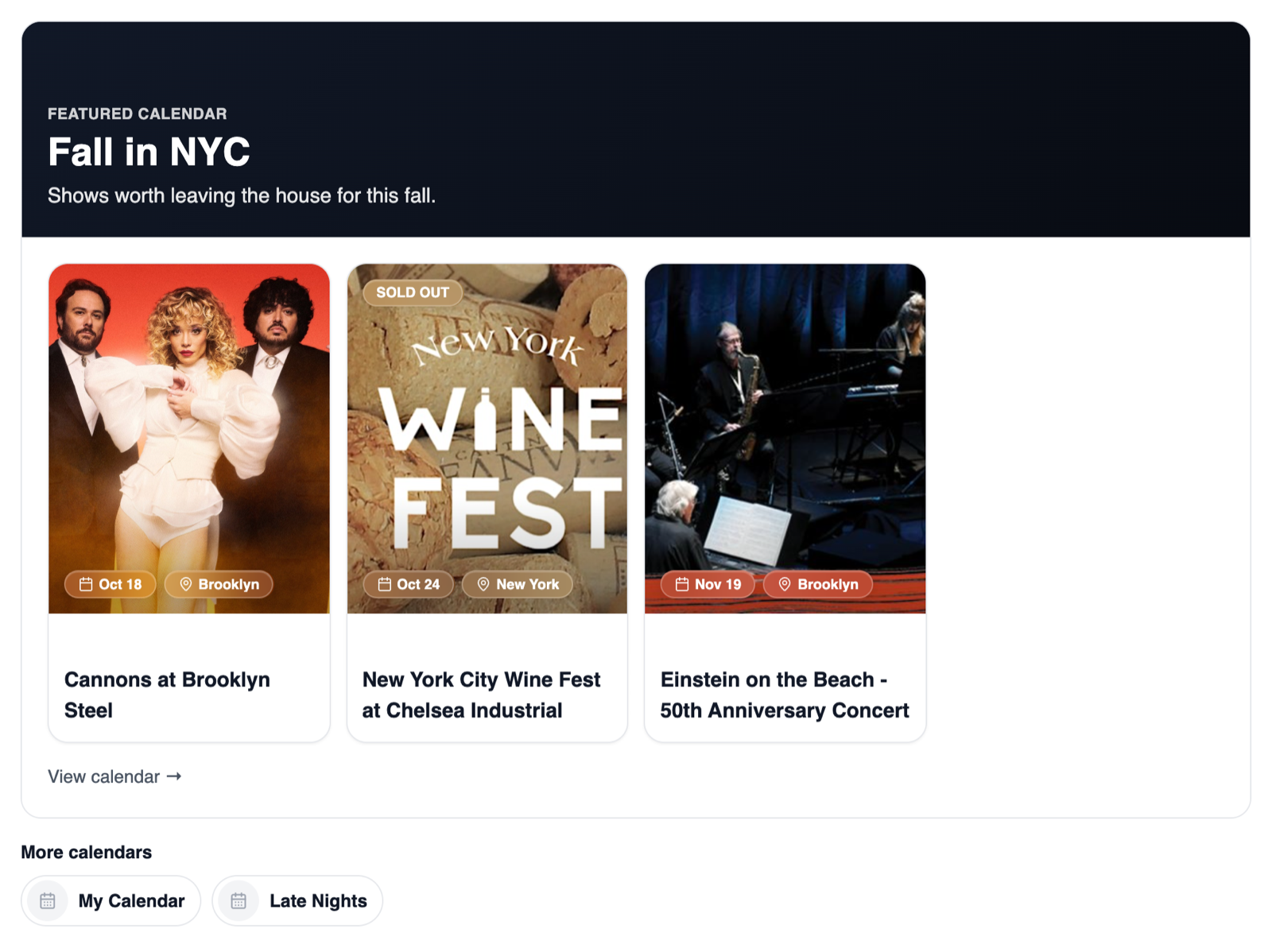
To feature a calendar:
- Open My Calendars.
- On the calendar you want, open the options menu (the three dots) and choose Feature this calendar.
- It gets a Featured badge and moves to the top of your profile. Only one calendar is featured at a time, so featuring another one swaps it in. Choose Remove from featured to go back to your standard profile.
Calendars that have ended tidy themselves up
A calendar now counts as past once its end date has passed, or once it has no upcoming events left. Past calendars collapse into a Past calendars section at the bottom of My Calendars, marked with a gray Past label. On your profile they drop out of the More calendars strip, and a featured calendar that has ended stops showing at the top, so your profile always leads with what's coming up.
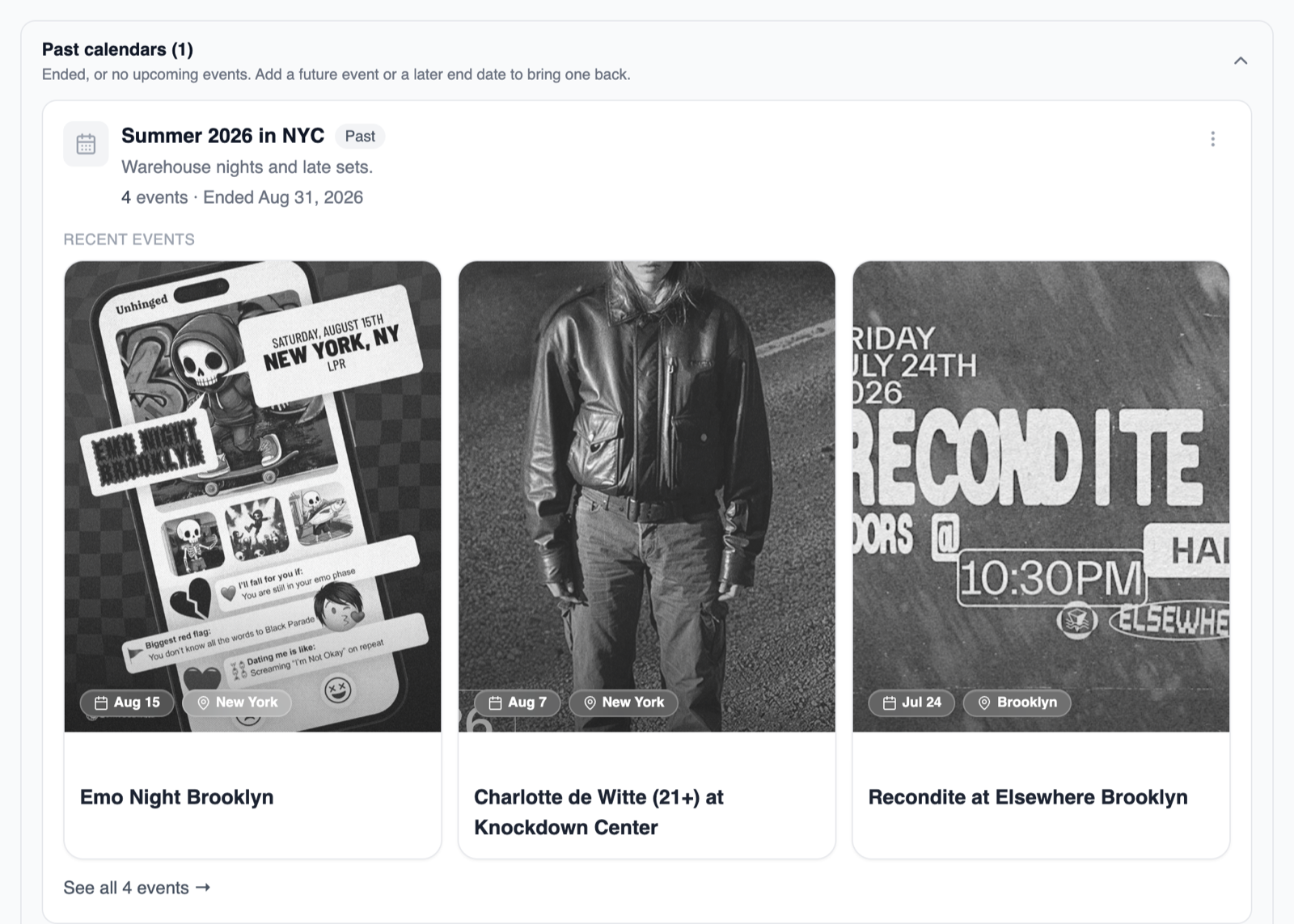
Nothing gets deleted. Past calendars keep their events and stay reachable from the calendar picker on your profile, labeled Past. Your main My Calendar never goes past, and neither does an empty calendar.
- Running a season or a festival? Open Edit Calendar and set Ends on, and the calendar moves to Past the day after.
- Want one back? Add a future event, or move its end date later if you set one, and it returns to the top, featured spot included.
A direct link to edit any calendar
Each calendar's options menu now has Copy edit link, which opens Edit Calendar for that calendar in one click. Bookmark it for the calendar you update every week. Edit Calendar is also where you pick how a calendar shows, like the map and agenda views we added this summer.