New ways to show your calendar, including a map
For a while your calendar showed just one way: a grid of upcoming events. Now you can choose how it looks to the people who follow you. Put your events on a map, focus the weekend, keep it compact, or lay it out as a simple agenda.
Put your events on a map
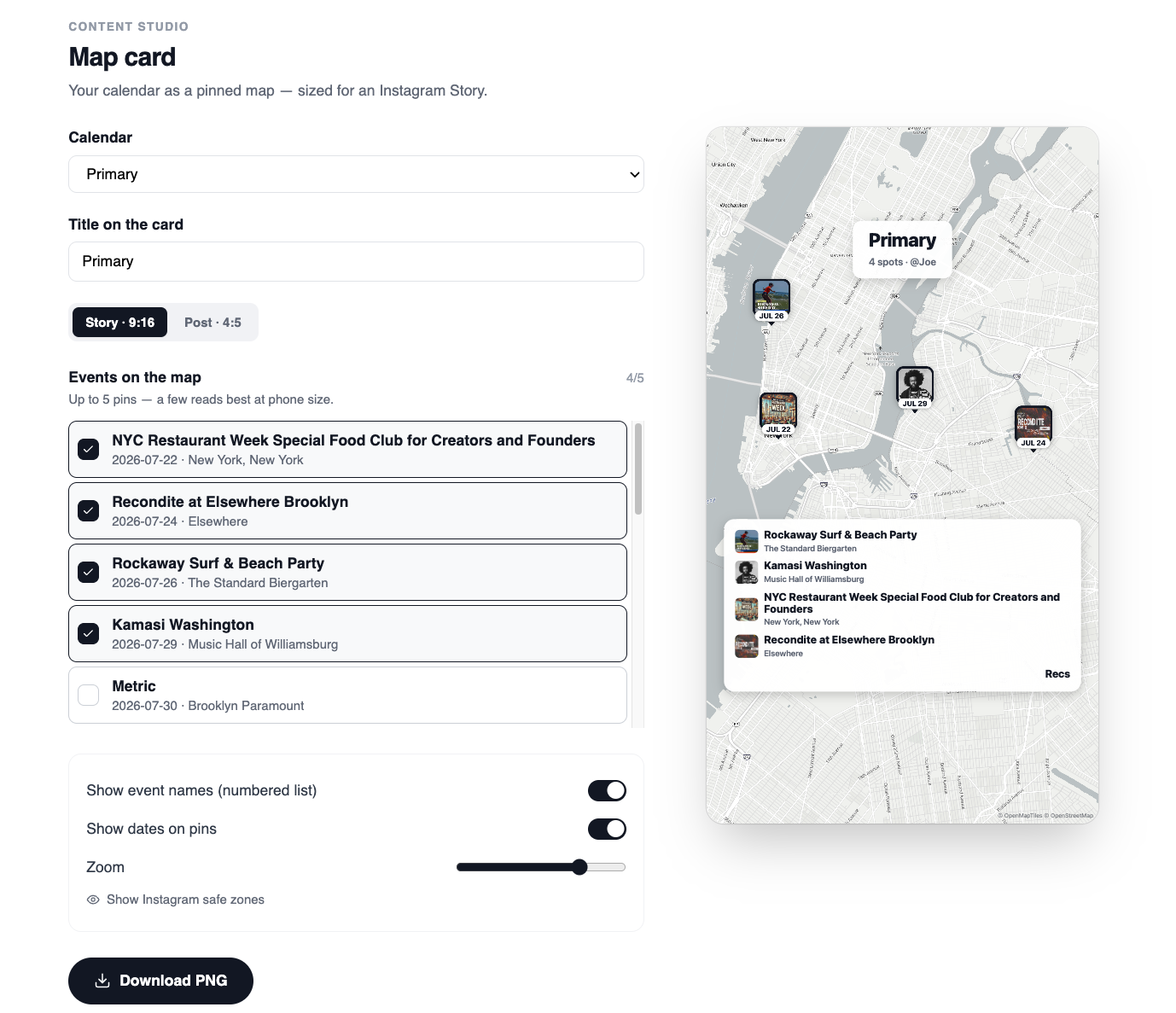
Switch a calendar to the new map view and it becomes a map of the city, with a pin on every event. It's the fastest way to answer the question people actually have: what's near me this week? Recs works out where each event is for you, so the pins just appear.
Turn that map into an Instagram story
Head to Content Studio and the new Map card turns your calendar into a shareable graphic, sized for an Instagram story or a feed post. Drop it on your story with a “link in bio,” and send people straight to the real thing.
Or pick a different rhythm
A map isn't the only new option. Each calendar can show in whichever way fits it best:
- Weekend: just Friday through Sunday, for people planning their weekend.
- Quick cal: a compact month view when you have a lot on.
- Agenda: a clean, scannable list of what's coming up next.
You set the display mode per calendar, so a “This Weekend” calendar and a “Gallery Openings” calendar can each look the way they should. It all works on the web and in the app.