Add your own links to your profile
For curators
The people who follow your taste often want more than your next pick — a way to book you, shop what you love, or just get in touch. You can now add your own links to your profile, right next to your events.
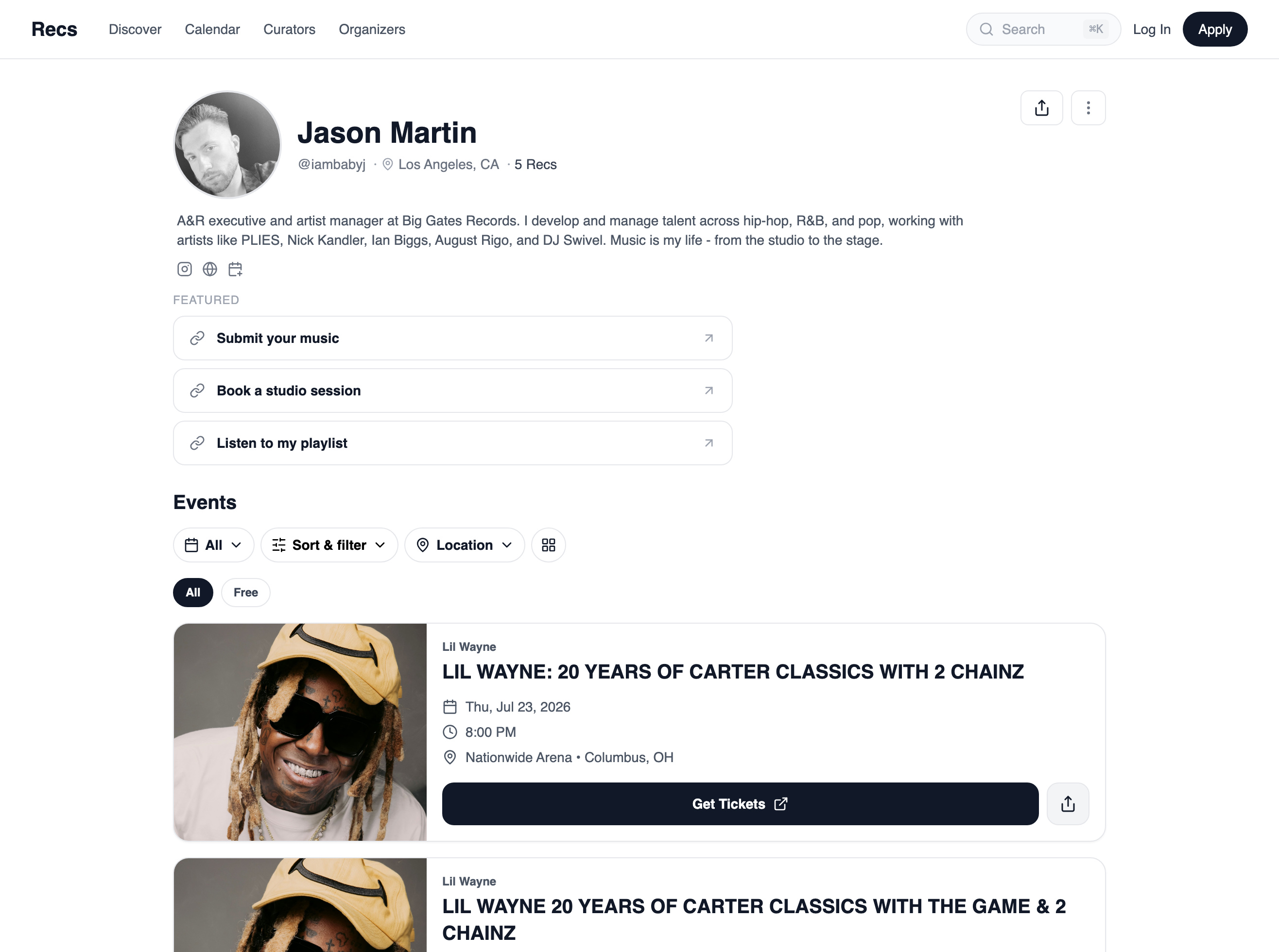
Your links, front and center
Add a few custom buttons to the top of your profile — a booking page, your online shop, a class you teach, a way to DM you. Each one is just a label and a link, and they sit right above your events where people actually see them.
Moving over from Linktree?
Bring the links that matter with you. Your profile already shows off the events you curate — now it can carry the rest of what you do, so it can be the one link you share everywhere.
Simple by design
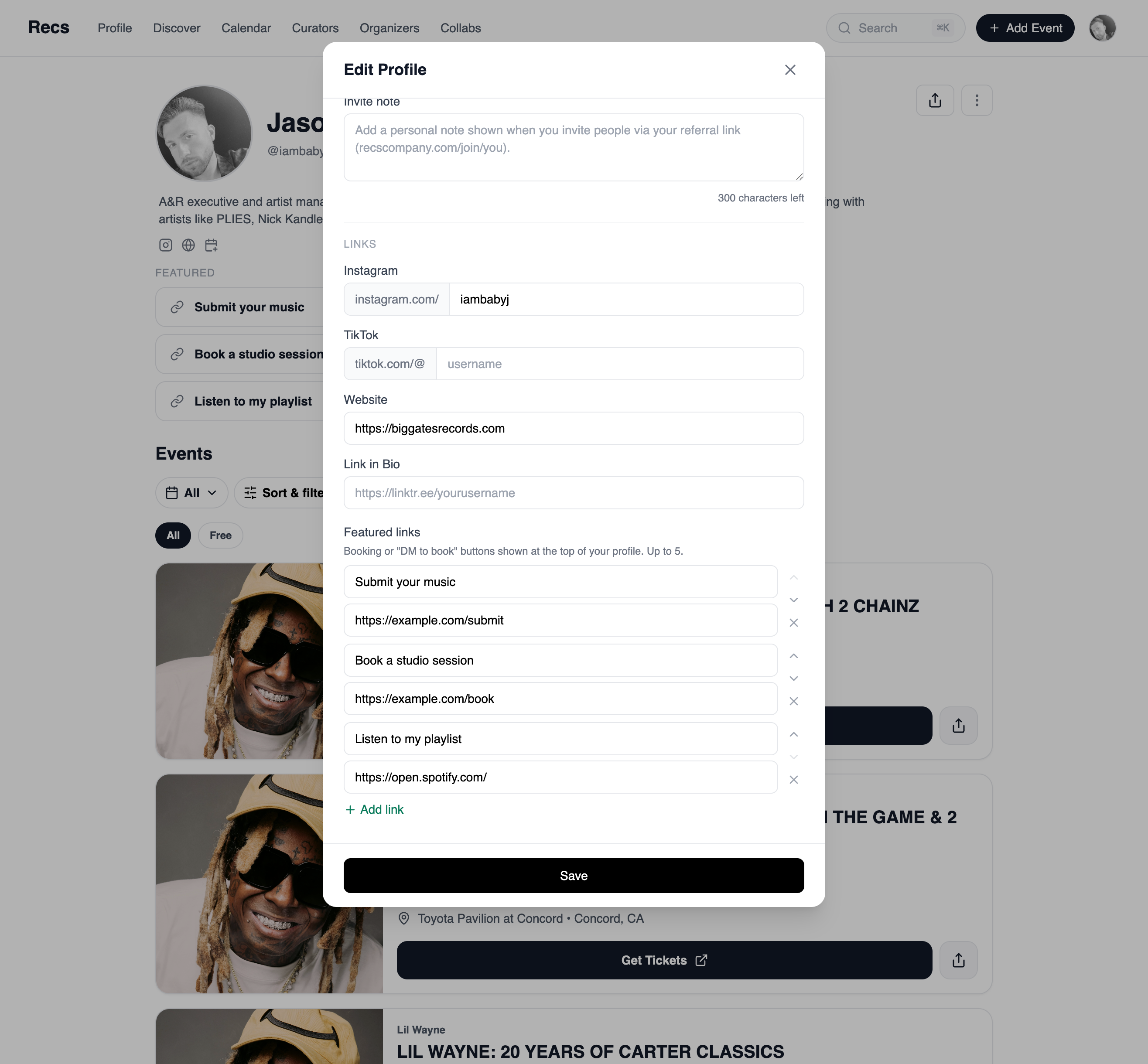
- Add, rename, and reorder your links whenever you like.
- Up to five, so your profile stays about the events you curate.
- Edit them from your profile in a couple of taps.